top
Try these other Sims Fanatics Community Links! It’s the Sims Community built for Sims
fans by Sims fans! These Custom Yak-Yaks are Happy to be a part of the
Sims Fanatics Community! |
SFC Home Pages: Y
Rougue Y Valzgr8 1.
Val’s haunted Overlook Hotel 3.
SFC Custom Yak-Yak Collection EYou Are Here Guest Pages 1.
Lots 2.
Skins 3.
Objects 4.
Sims2 – Coming Soon! 1.
Objects 2. Lots SFC Information: Y SFC FAQs Y
SFC Download Installation/Uninstallation Guide SFC Tutorials 1.
Making Casuals
into Buyables – by Val 2.
Making a
Haunted Hotel on VacationIsland – by Val 3.
Creating a
brand New Object – by Rougue 4.
Saving Your Sims – by Bruce/Gandalf 5.
Dealing With
Buffers – by Rosemary 6.
Making Tuck-In
Beds – by Rosemary 7.
Using Lot
Manager – by Bruce/Gandalf 8.
Fit 2 Fat or Skinny Skins – by Val
– Coming Someday! SFC Yahoo!Groups QuickLaunch: Y
SFC Rugs
|
|
||||||||||||||||||||||||
index
Page Index
Information Downloads
|
|
|
||||||||||||||||||||||||
Thank
you!
|
Thank you! Thank you, Gnohmon!
I believe that the Yak-Yak is an important part of Simming,
and I felt we needed a larger variety of this ingenious hack! That is why I
find it necessary to send out this very special thank you to, Gnohmon,
the originator of the Yak-Yak, who gave me permission to recolor and/or
reshape this fabulous creation! I hope my fellow Sims Fanatics will enjoy
these little objects as much as I do! Incidentally, the Yak-Yak is only one piece of Gnohmon’s
incredible Sims Hacks! You can get
Gnohmon’s original Yak-Yak and his other fabulous objects, all hosted at Gnohmon’s Sims 1 Goodies! Happy Day, Ya’all! --Val |
|
||||||||||||||||||||||||
|
|
--Top-- --Index-- |
|
||||||||||||||||||||||||
|
|
|
|||||||||||||||||||||||||
|
|
|
|
||||||||||||||||||||||||
|
|
--Top-- --Index-- |
|
||||||||||||||||||||||||
|
The Yak-Yak!
|
|
|
||||||||||||||||||||||||
|
|
About the
Incredible Yak-Yak! The Yak-Yak is one of my all time favorite hacks for the Sims
1, because it makes Simming so much closer to real life! It is a table that
when placed in a room, allows all Simmies present to socialize, just like
real people do! It’s the perfect way to build Simmie relationships! I love it
when that happens! · It’s
important to note that only one Yak-Yak should be placed in a room! · The Yak-Yak
can be used on all lots. · The Yak-Yak
collections are categorized in the End Table section of the Sims1 Catalog.
|
|
||||||||||||||||||||||||
|
|
--Top-- --Index-- |
|
||||||||||||||||||||||||
|
Installation
|
|
|
||||||||||||||||||||||||
|
|
Unzip the .IFF files into the Downloads folder located here: 'C:\Program Files\Maxis\The
Sims\Downloads' For easy
organization of your favorite downloaded objects, all downloads may be placed
in subfolders (by creator name) inside the Downloads folder. If you have all
EPs installed, there is no limit to the number of subfolders that can be
placed inside the Downloads folder. NOTE: If your Sims
is NOT installed in
the default location, this is how to find your Sims 1 folder: 1. Right Click
on the Icon you use to start your Sims game. 2. Choose the
option ‘Properties’. 3. Left click
the button that says ‘Find Target’. 4. The window
that opens is your Sims main folder. If you look in the address bar, you will
see the address to your Sims main folder. Your
Collection of Yak-Yaks should be installed in the 'The Sims\Downloads'
folder. |
|
||||||||||||||||||||||||
|
|
--Top-- --Index-- |
|
||||||||||||||||||||||||
|
Uninstallation
|
|
|
||||||||||||||||||||||||
|
|
To
uninstall, simply delete the .IFF from the downloads folder or subfolder. 'C:\Program Files\Maxis\The
Sims\Downloads' |
|
||||||||||||||||||||||||
|
|
--Top-- --Index-- |
|
||||||||||||||||||||||||
|
Downloads
|
|
|
||||||||||||||||||||||||
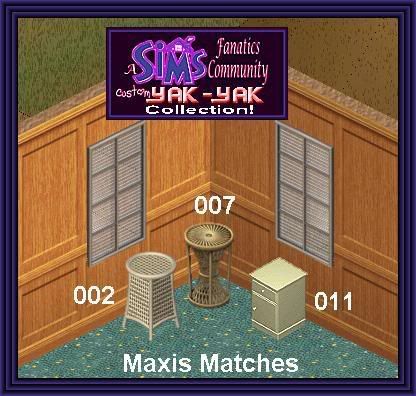
Set 1: Nice! |
|
|
||||||||||||||||||||||||
|
|
--Top-- --Index-- |
|
||||||||||||||||||||||||
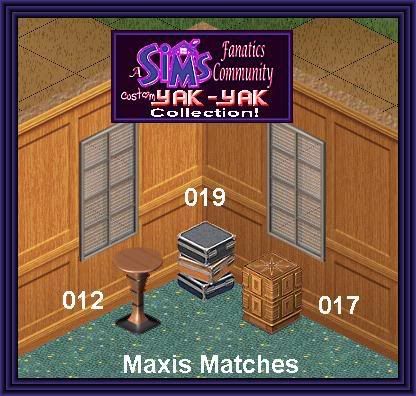
Set 2: Cheapo! |
|
|
||||||||||||||||||||||||
|
|
--Top-- --Index-- |
|
||||||||||||||||||||||||
Set 3: Unique! |
|
|
||||||||||||||||||||||||
|
|
--Top-- --Index-- |
|
||||||||||||||||||||||||
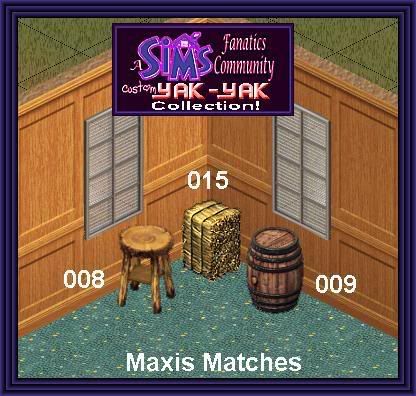
Set 4: Roughing it! |
|
|
||||||||||||||||||||||||
|
|
--Top-- --Index-- |
|
||||||||||||||||||||||||
Set 5: Old Glory!
|
|
|
||||||||||||||||||||||||
|
|
--Top-- --Index-- |
|
||||||||||||||||||||||||
Set
6: Jukia’s Creations
|
|
|
||||||||||||||||||||||||
|
|
--Top-- --Index-- |
|
||||||||||||||||||||||||
|
|
|
|
||||||||||||||||||||||||
|
SFC
Home Pages: v Rougue v
Valzgr8 SFC
Information: v
SFC FAQs v SFC Download Installation/Uninstallation Guide SFC
Tutorials v
Making Casuals
into Buyables – by Val v
Making a
Haunted Hotel on VacationIsland – by Val v
Creating a
brand New Object – by Rougue v
Saving Your Sims – by Bruce/Gandalf v
Dealing With
Buffers – by Rosemary v
Making Tuck-In
Beds – by Rosemary v
Using Lot
Manager – by Bruce/Gandalf v
SFC Rugs v
Sims 2
Fanatics Community – NEW! |
--Top-- --Index-- |
|
||||||||||||||||||||||||
|
|
|
|